FANUC
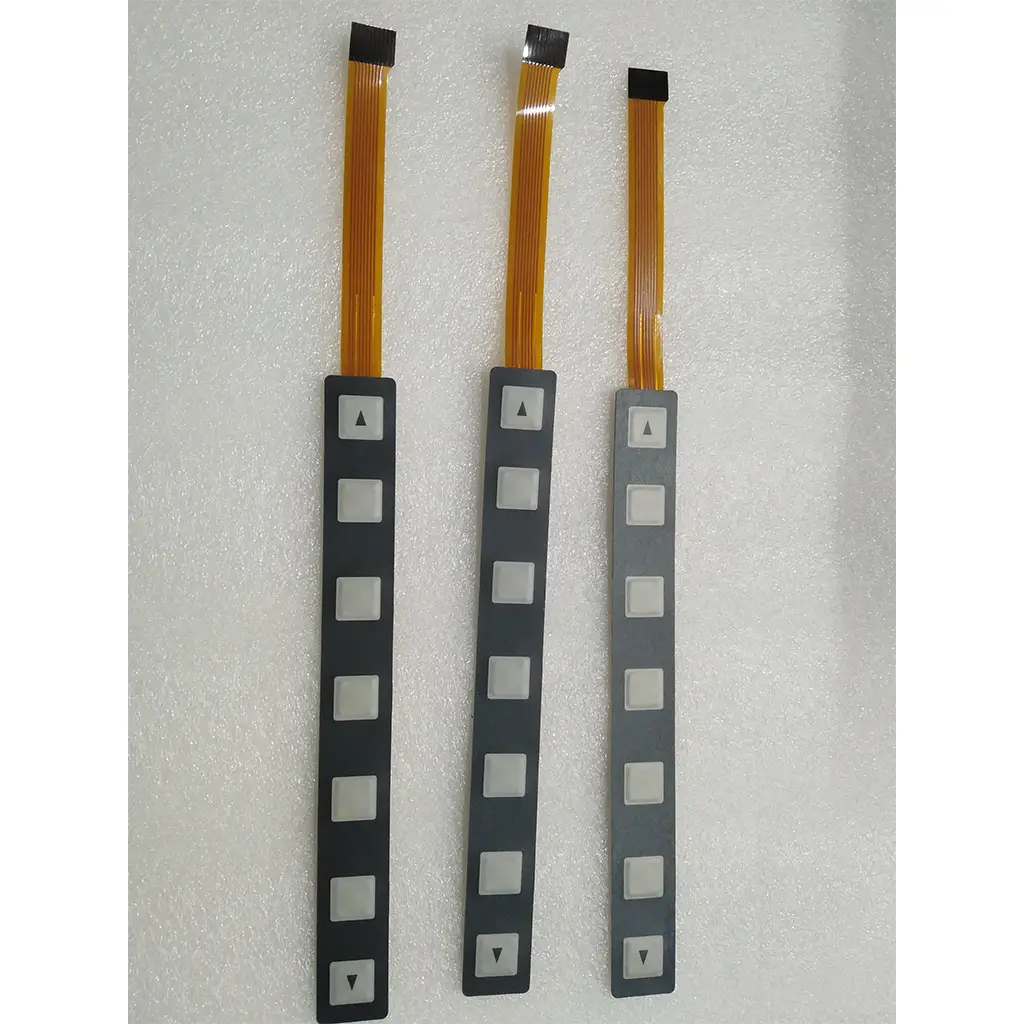
CNC Operator Panel Softkeys / Membrane Keysheet
FANUC Oi, Oi-M, and Oi-T Series
New OEM-grade replacement
In stock with fast shipping available.
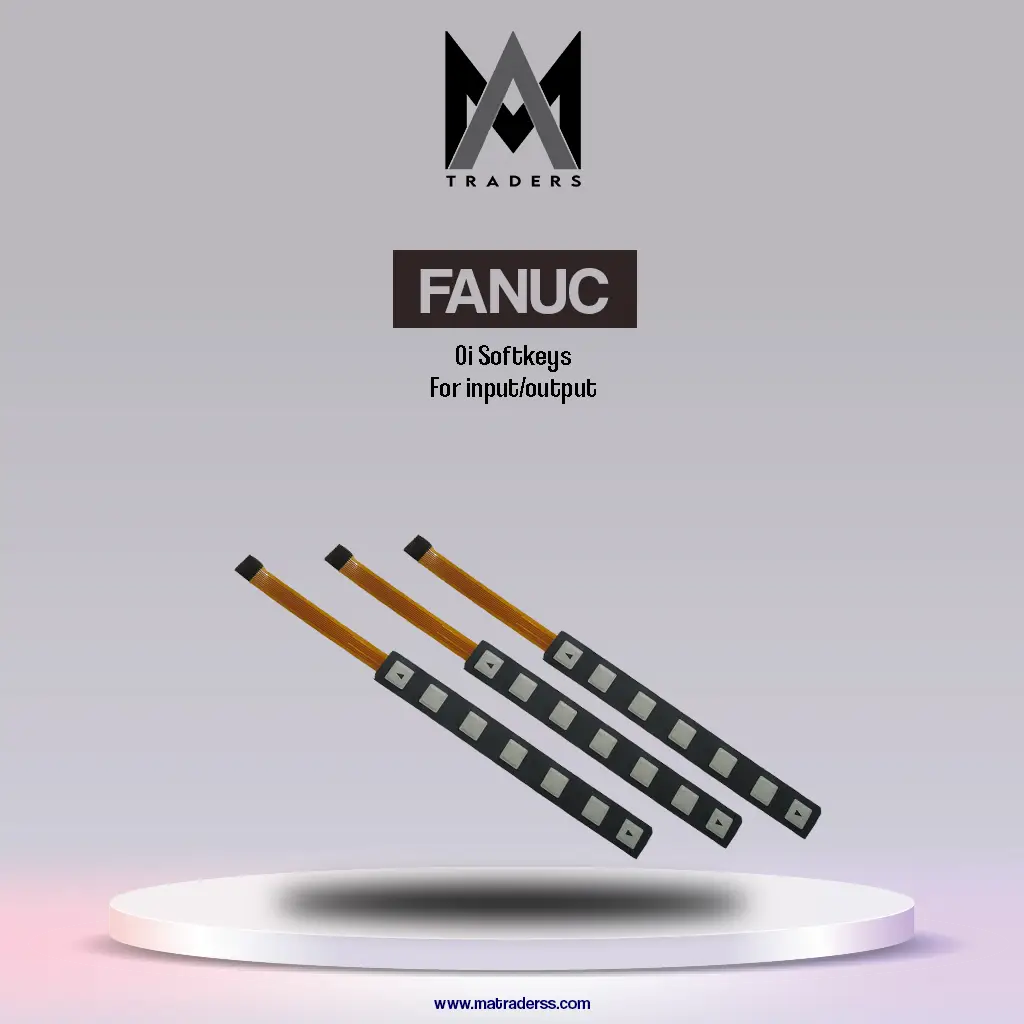
FANUC Oi softkeys for input output are membrane keypad overlays installed on CNC operator panels to allow operators to navigate system menus and control machine input and output functions.
Softkeys are located directly below the CNC display screen. Each key corresponds to menu options shown on the control display, allowing operators to select functions, confirm commands, and access system settings.
These softkey membranes are designed specifically for FANUC Oi series CNC controllers, where they serve as part of the human machine interface used to operate and monitor the machine.
| Specification | Details |
|---|---|
| Brand | FANUC |
| Product Type | CNC Softkey Membrane |
| Series Compatibility | FANUC Oi, Oi-M, Oi-T |
| Key Count | 7 Softkeys |
| Material | Polycarbonate or PET Membrane |
| Mounting Type | Adhesive or Clip Fit |
| Operating Temperature | 0°C to +50°C |
| Application | CNC Operator Panel Input Output Navigation |
Softkeys allow operators to select commands displayed on the CNC screen. Each key corresponds to a function shown on the control interface.
The softkeys are commonly used to access I/O monitoring screens, parameter settings, and system configuration menus within the CNC control system.
Industrial membrane materials resist oil, dust, and frequent mechanical use, ensuring reliable operation in machining environments.
The keysheet follows the original FANUC control panel layout so that replacement units maintain the same interface structure and operator workflow.
The membrane design provides tactile response that helps operators confirm command input during machine operation.
Softkeys are a core part of the human machine interface used in CNC control systems.
Typical interaction with softkeys includes:
The CNC display shows available menu functions.
Each softkey corresponds to a menu option shown on the screen.
The operator presses the softkey to activate that function.
The CNC system processes the command and updates the display.
This interface allows operators to navigate system functions efficiently without using complex command inputs.
Softkeys are used to navigate machining programs, parameters, and diagnostic menus in milling machines.
Turning machines rely on operator panels for machine setup, tool offsets, and program execution.
Replacing worn or damaged softkey membranes restores operator panel functionality.
Technicians use softkeys to access diagnostic screens and machine status information.
The FANUC Oi softkey membrane is designed for control panels used with the following CNC systems:
FANUC Oi CNC controllers
FANUC Oi-M milling control systems
FANUC Oi-T turning control systems
Compatibility should always be confirmed with the specific control panel layout and machine model.
Before installing the softkey membrane, the panel surface should be cleaned to ensure proper adhesive bonding.
The membrane must be aligned correctly so that each softkey corresponds with the screen menu labels.
Installation usually involves removing the old keysheet and applying the new membrane to the control panel surface.
Replacing worn softkeys restores reliable input functionality for CNC machine control.
Clear labels and responsive keys allow operators to navigate CNC menus quickly.
Softkey membranes can be replaced quickly without replacing the entire operator panel.
Durable membrane materials increase the service life of the CNC control interface.
CNC softkeys allow operators to select functions displayed on the control screen and navigate machine menus.
The FANUC Oi input output softkey panel typically includes seven keys positioned below the CNC display.
Softkey membranes are designed for quick replacement and can typically be installed within minutes.
Yes. Damaged or unresponsive softkeys can make it difficult for operators to navigate CNC menus or access machine functions.
Useful Links
Subscribe Now
Don’t miss our future updates! Get Subscribed Today!
© 2024. MA Traders. All Rights Reserved.